ANPR Camera Setup Best Practices
Automatic Number Plate Recognition (ANPR) performance is heavily dependent on camera positioning and configuration. Even small changes to camera angle, zoom level, or mounting height can significantly impact plate detection accuracy.
This guide outlines best practices for configuring ANPR cameras to achieve optimal results when using vGRID. The goal is to help customers and partners maximise plate recognition accuracy while reducing false reads and missed detections.
Why Proper ANPR Setup Matters
ANPR systems rely on capturing clear, readable images of vehicle license plates. If plates are too small in the image, blurred by motion, or viewed at an extreme angle, recognition accuracy drops dramatically.
A well-configured camera will:
- Capture high pixel density on the plate.
- Minimise viewing angle distortion.
- Reduce motion blur.
- Ensure consistent lighting and exposure.
Correct installation often improves plate recognition accuracy more than any software adjustment.
Key Principles for ANPR Camera Placement
Ensure Sufficient Plate Pixel Density
For reliable recognition, the license plate must occupy enough pixels in the frame. As a general guideline, the minimum recommended resolution is approximately 120 pixels across the plate width, while the optimal range is between 150 and 250 pixels across the plate width for best results. If the plate appears very small in the image, recognition accuracy will be poor.
Example: Plate Pixel Density
Poor setup - Camera too wide:
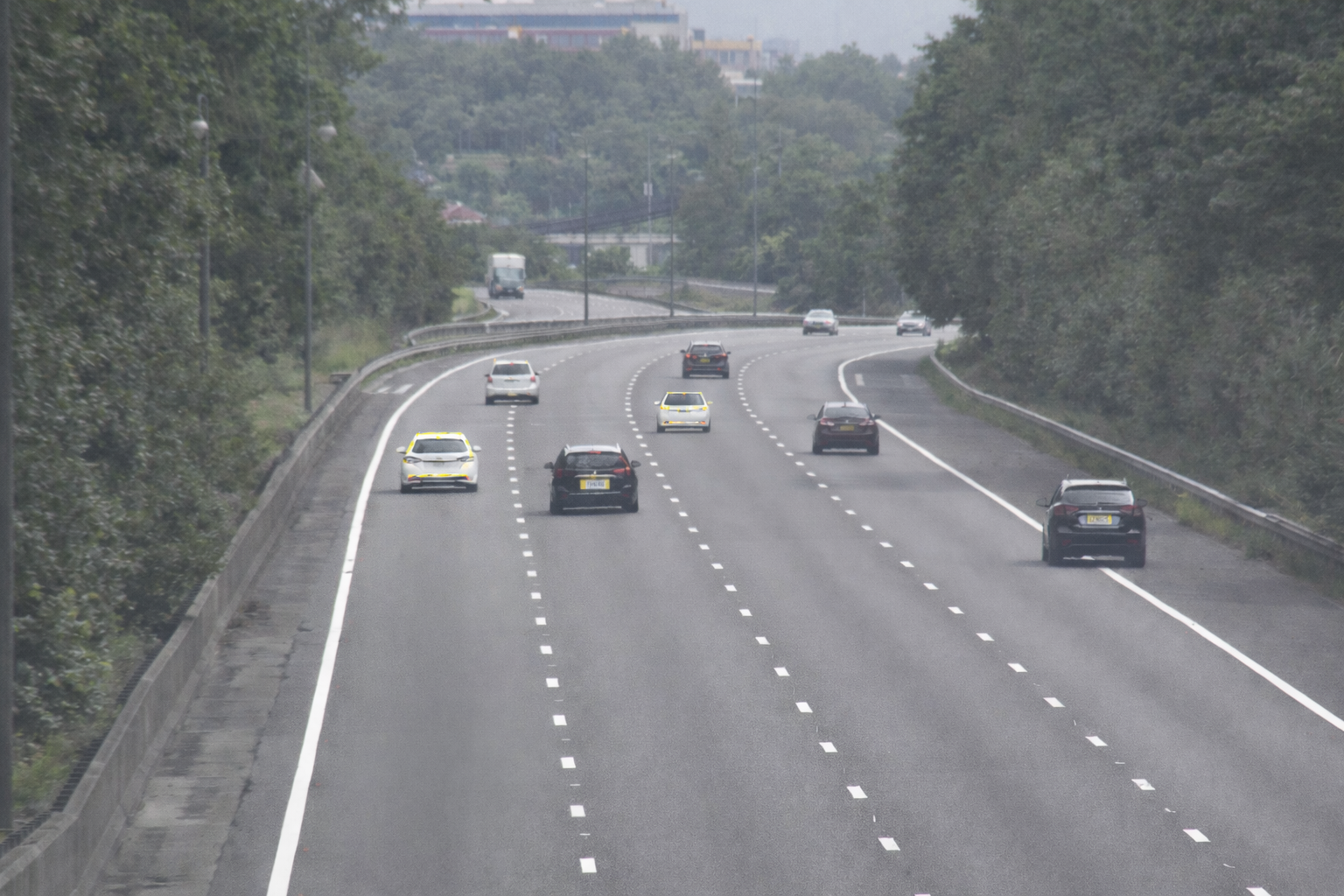
In this scenario the camera covers too large an area, causing plates to occupy too few pixels.
Good setup - Camera zoomed to capture lane:
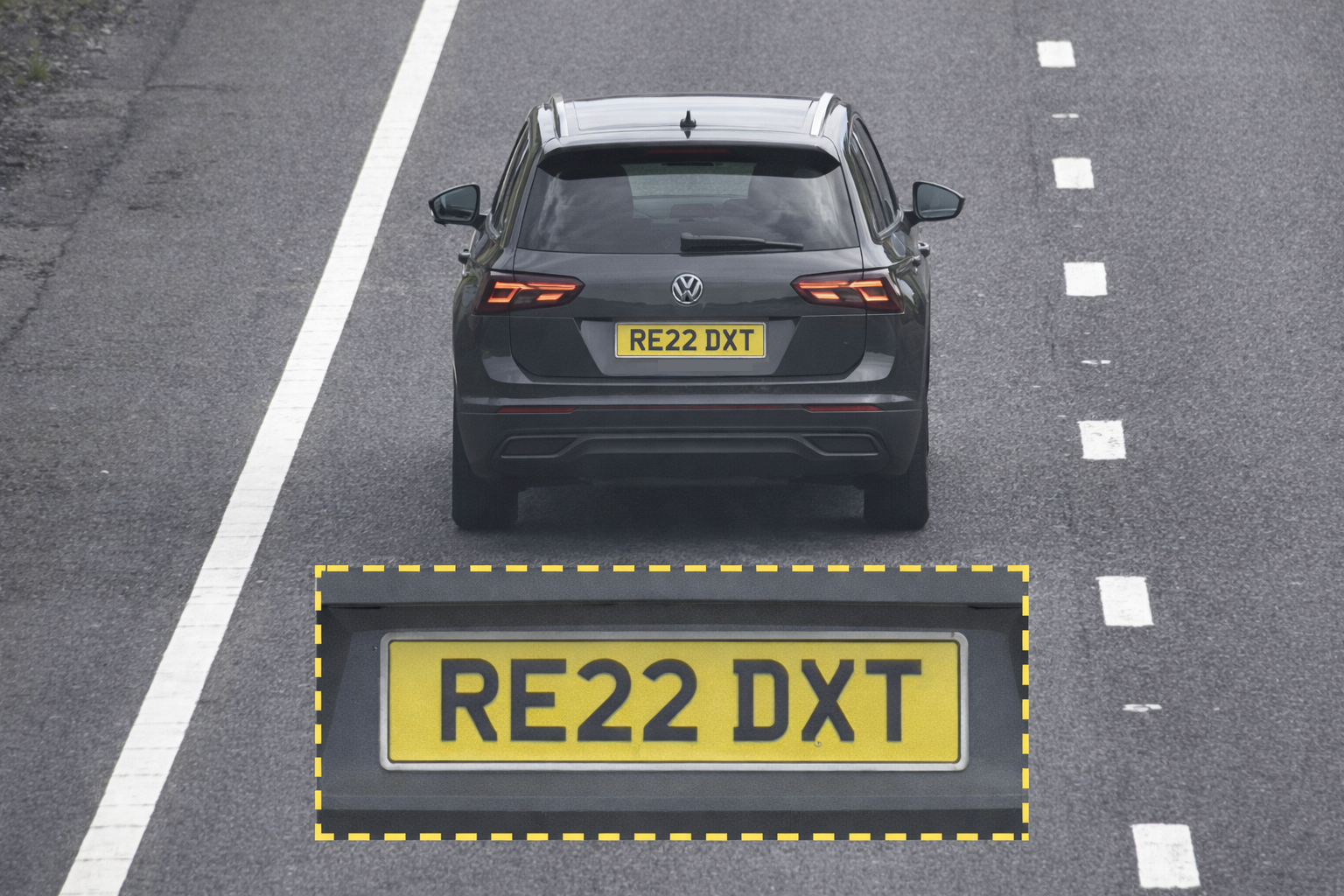
Here the camera is focused on a single lane and the plate occupies a much larger portion of the frame.
Keep the Horizontal Angle Low
ANPR works best when the vehicle approaches the camera as directly as possible. Large horizontal angles cause plate distortion and reduce recognition accuracy. The recommended horizontal angle is ideally less than 30°, with best performance achieved when the angle is under 20°.
Example: Horizontal Angle
Poor setup - Steep viewing angle:
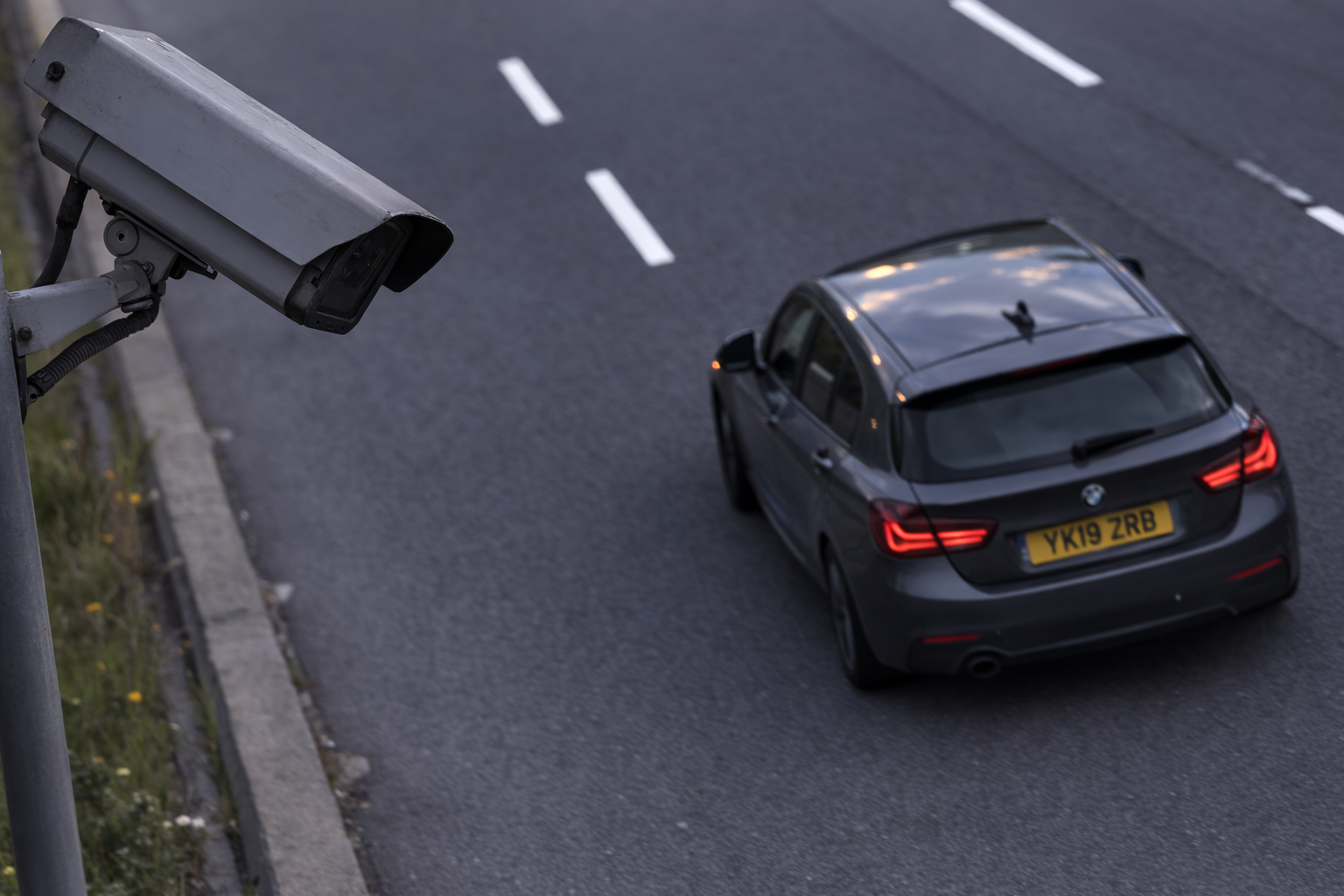
Plates appear skewed and harder to read.
Good setup - Camera facing vehicle path:
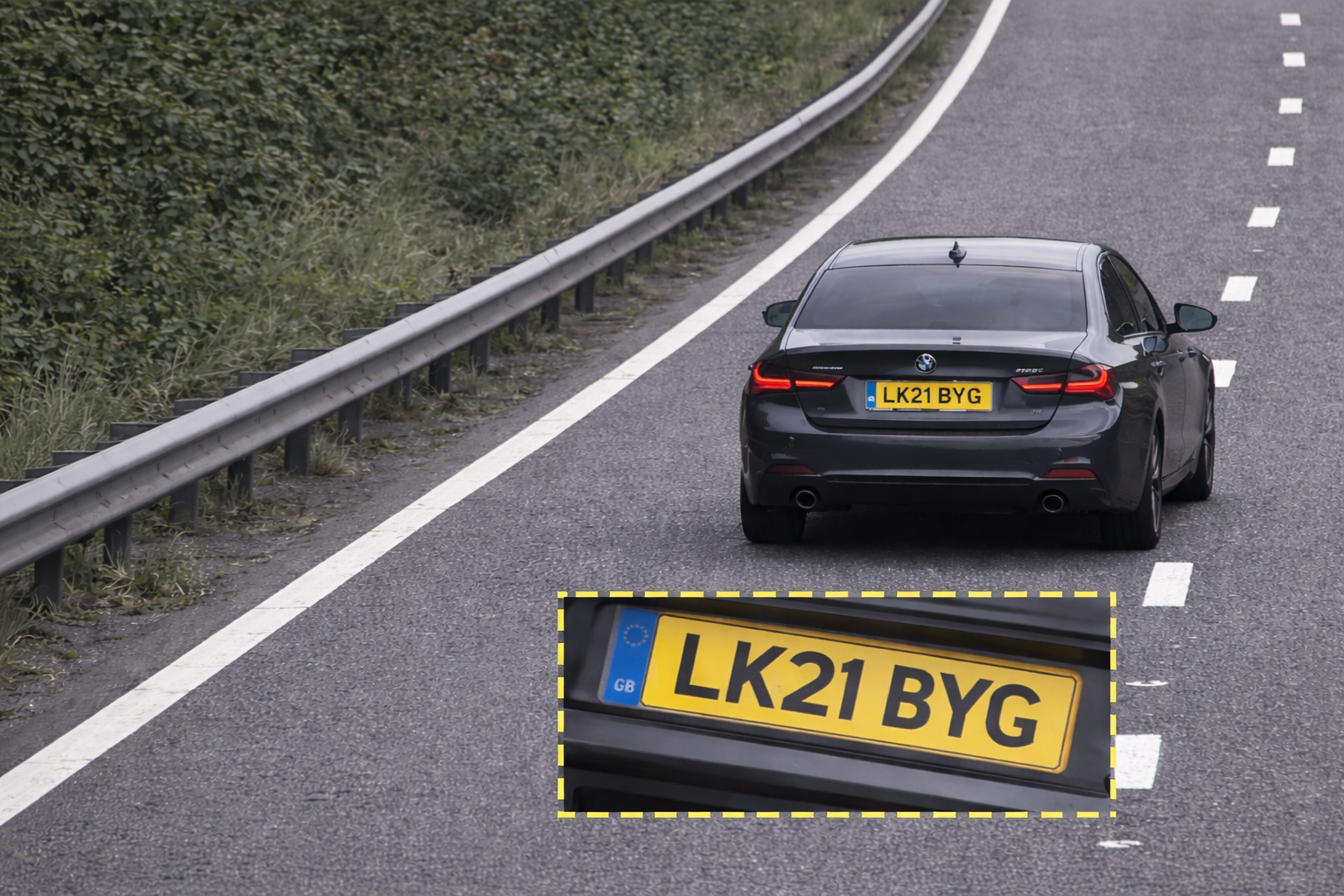
Plates are captured front-on with minimal distortion.
Keep the Vertical Angle Low
The vertical angle between the camera and the plate should also be minimised. Mounting cameras too high results in steep vertical viewing angles, which can obscure characters. The recommended vertical angle is ideally less than 30°, with best performance achieved when the angle is under 20°.
Example: Vertical Angle
Poor setup - Camera mounted very high:
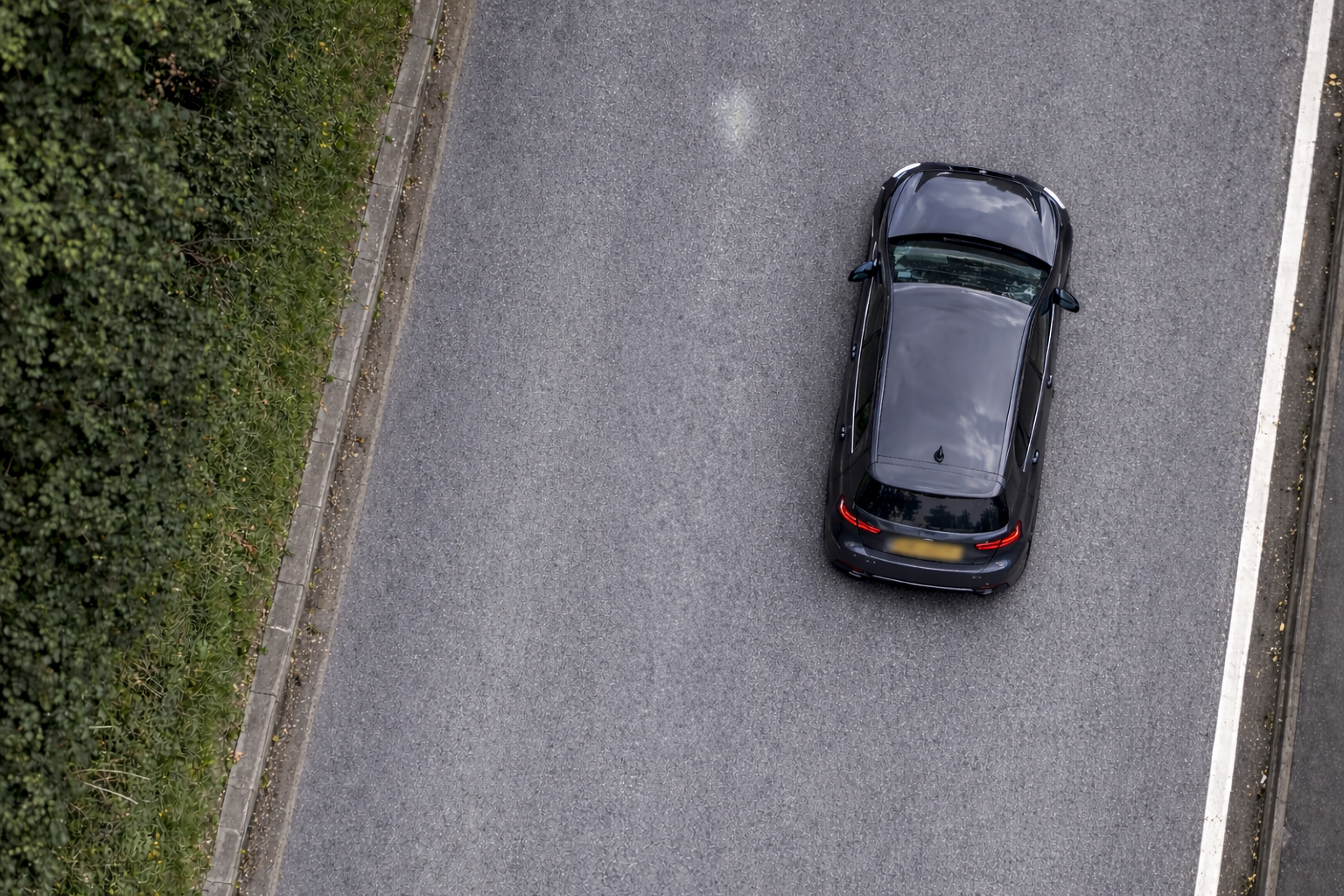
Plates appear compressed and difficult to read.
Good setup - Moderate mounting height:
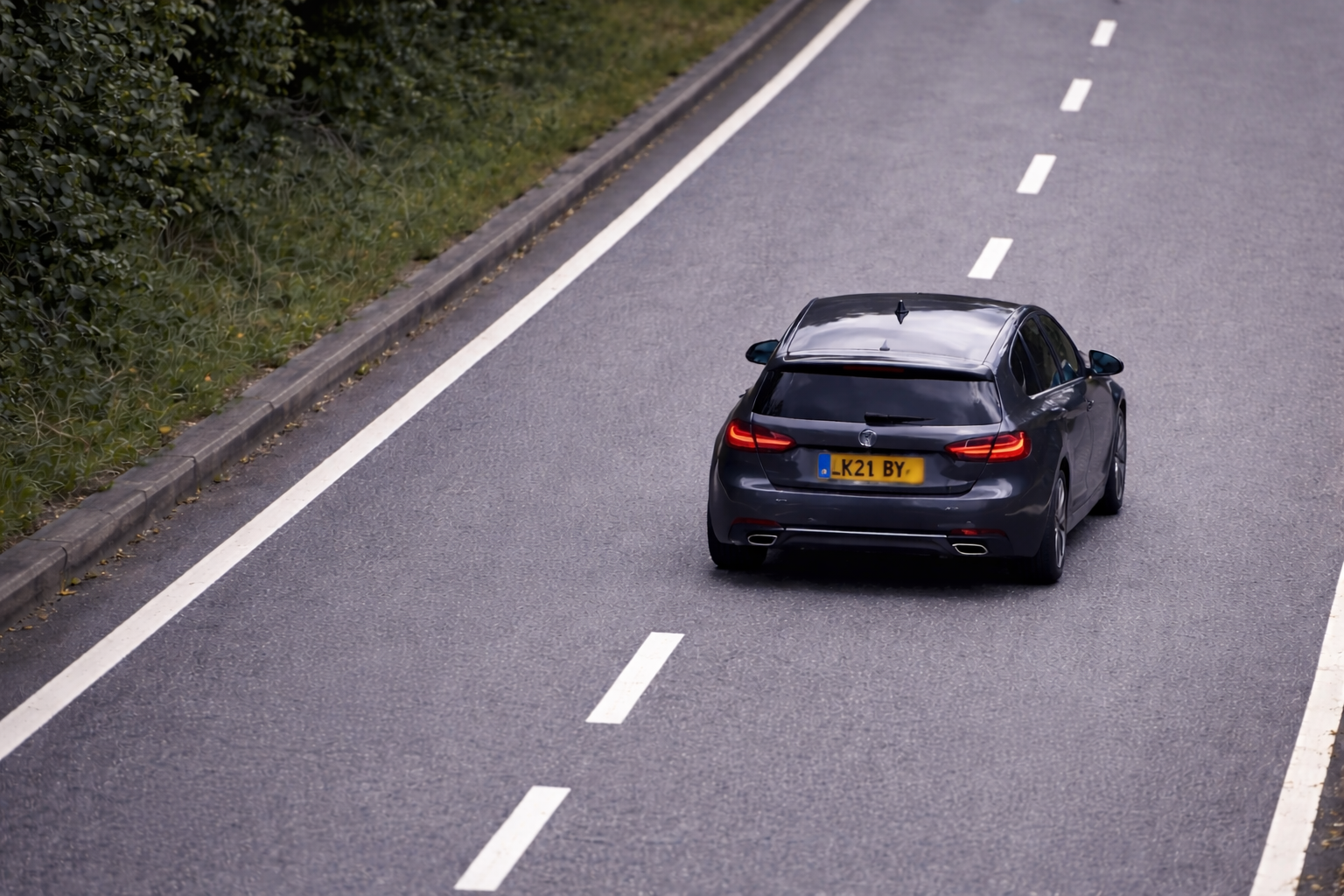
Plates remain flat and clearly visible.
Limit the Field of View
ANPR cameras perform best when monitoring a single lane or narrow area.
Attempting to monitor multiple lanes often results in:
- Plates that are too small.
- Higher recognition error rates.
- Increased false detections.
As a best practice, configure one ANPR camera per lane where possible and use zoom to focus on the target detection area.
Example: Lane Coverage
Poor setup - Camera covering 4 lanes:
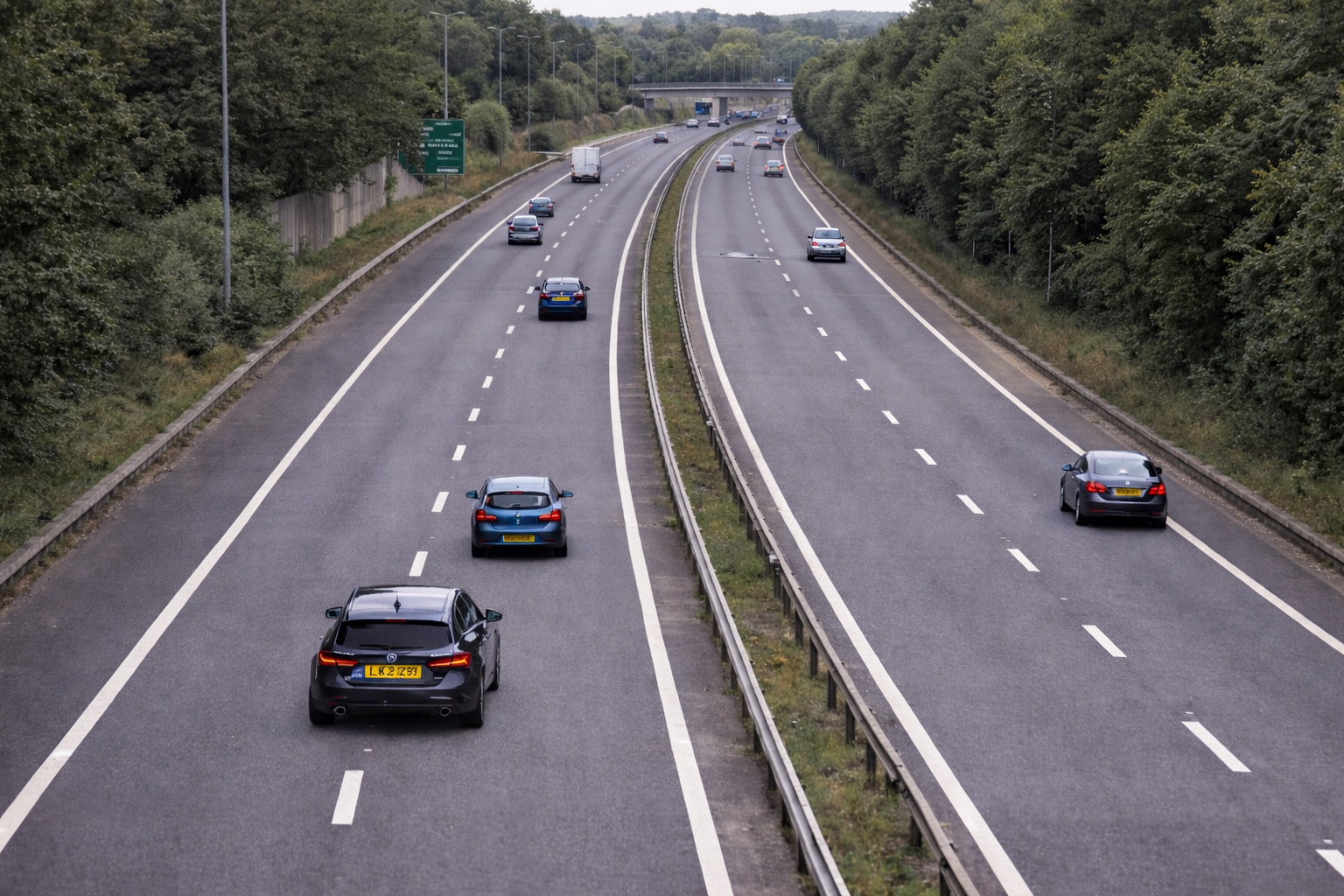
Recommended setup - Camera covering 1 lane:
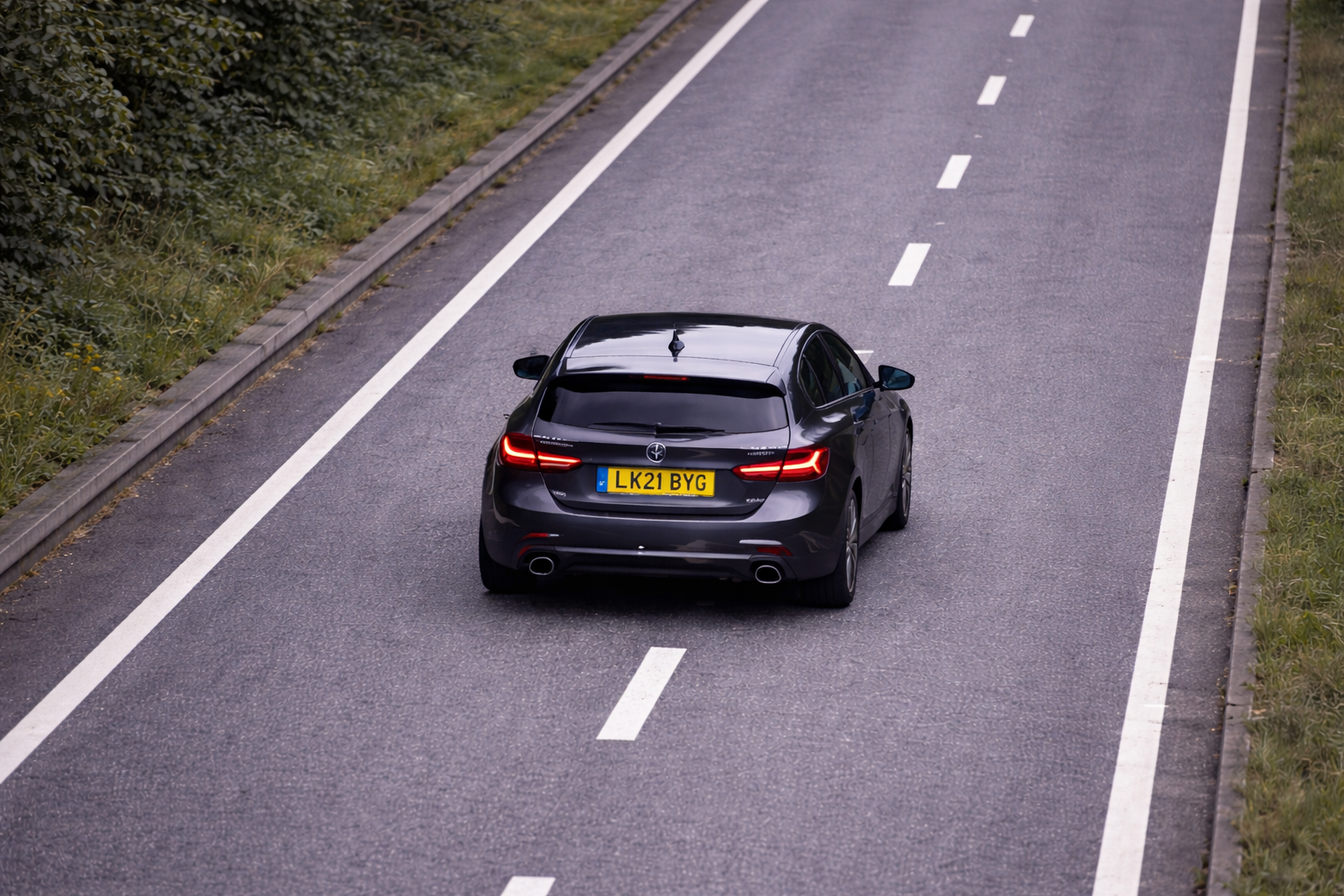
Avoid Motion Blur
Fast-moving vehicles combined with slow shutter speeds can cause motion blur, making plates unreadable.
Ensure that:
- The camera supports ANPR or traffic mode.
- Shutter speed is high enough.
- IR illumination is available for night conditions.
Ensure Good Lighting Conditions
Lighting has a significant impact on ANPR accuracy.
Key recommendations include avoiding direct sunlight into the camera, preventing headlight glare at night, using cameras with IR illumination where possible, and ensuring that license plates are evenly illuminated.
Comparing Good vs Poor ANPR Setup
| Poor Configuration | Optimised Configuration |
|---|---|
| Plates occupy very few pixels | Plate occupies a large portion of the frame |
| Extreme viewing angles | Minimal viewing angle distortion |
| Multiple lanes in frame | Single lane monitored |
| High chance of missed reads | High read accuracy |
Testing Your Camera Setup
After installing or adjusting an ANPR camera:
- Capture several test images of passing vehicles.
- Verify that plates are large and clearly readable.
- Confirm that vGRID is consistently receiving plates.
- Check plate reads during day and night conditions.
If plates appear small or distorted, adjust:
- Zoom
- Camera position
- Mounting height
Recommended Setup Checklist
| Before finalising installation, confirm the following: | |
|---|---|
| Camera focused on single lane or narrow target area | |
| Plate width is ~120 pixels | |
| Horizontal angle ≤30° | |
| Vertical angle ≤30° | |
| Camera zoom adjusted to maximise plate size | |
| Motion blur minimised | |
| Adequate lighting conditions |
This page contains AI-generated Imagery